How to Stop Phishing Pages That Mimic Login Screens
Phishing attacks remain one of the most pervasive threats to digital identity security. Among these, phishing pages that mimic legitimate login screens are particularly dangerous, tricking users into revealing their credentials and personal information. For platforms like Arena Plus, Houzz, and Houzz Pro—which serve millions of users—combating these scams is crucial not just at login, but throughout the entire digital identity lifecycle.
Understanding the Threat: Mimicked Login Screens
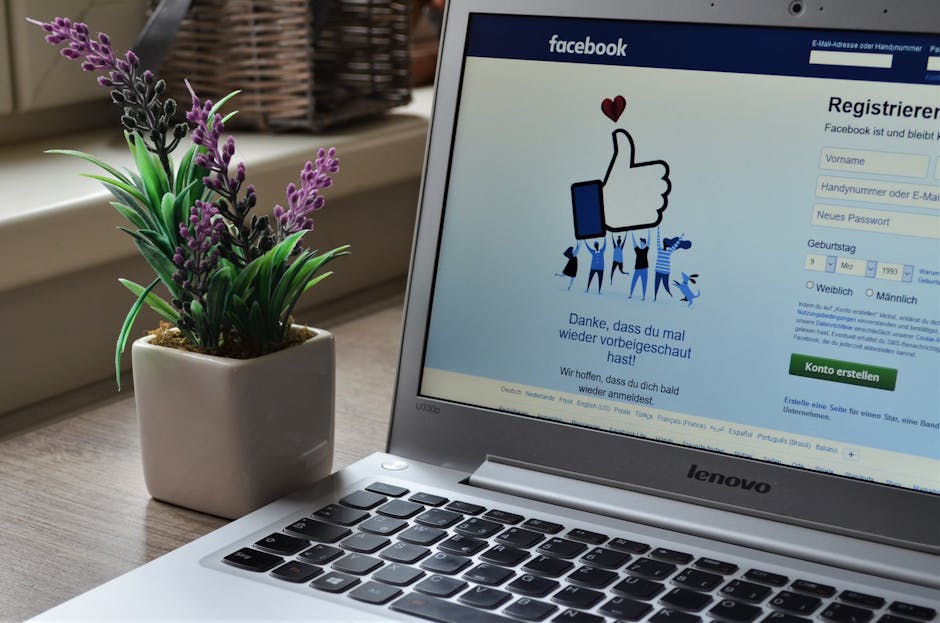
Phishing pages designed to replicate login screens exploit users’ trust in familiar visual cues. Attackers create nearly identical copies of an app’s or website’s login UI, often hosted on domains that look similar but aren’t consistent domains owned by the legitimate companies. Users who don’t carefully check the URL or browser security signals might enter their usernames and passwords, exposing sensitive data.
However, the fight against such attacks requires a holistic approach that goes beyond the login screen itself, evolving user authentication into a more secure, user-friendly process.
The Digital Identity Lifecycle: Beyond Login
Protecting users from phishing isn’t just about building a fortified login page. It involves managing the digital identity lifecycle—which includes registration, access, verification, reauthentication, and recovery—with security and clarity at every step.
- Registration: Minimize friction while collecting essential identity data.
- Authentication: Enable secure, modern methods like passwordless access.
- Risk-based authentication: Analyze context to apply step-up checks only when necessary.
- Recovery: Provide seamless, consistent guidance that maintains security without confusing users.
When companies like Houzz Pro upgrade their user authentication flows, they invest not only in preventing phishing but also in creating a fluid identity experience that encourages safe behavior.
Clear, Minimal Registration Fields to Reduce Attack Surface
Attackers often scrape and analyze registration fields to craft targeted phishing campaigns. Lengthy, complicated forms increase the chance of data exposure and add friction, raising abandonment rates. To mitigate this, registration forms should include only the essential fields necessary to identify and authenticate a user.

For example, platforms like Arena Plus focus on clarity by using:
- Consistent terminology that aligns with login and recovery stages.
- Explicit instructions for field requirements upfront, rather than hiding them until errors occur.
- Unambiguous visual patterns so users instantly recognize the legitimate registration interface.
Such deliberate design helps users distinguish legitimate forms from phishing pages at first glance.
The Power of Passwordless Access with Passkeys and Fingerprint Authentication
The best defense against phishing pages mimicking login screens is eliminating passwords altogether. Passkeys and fingerprint authentication enable users to log in securely without typing a password.
- Passkeys: Cryptographically secure digital credentials stored on devices, passkeys prevent reuse or interception by attackers.
- Fingerprint authentication: Biometric authentication adds an extra layer of security tied directly to the user’s physical identity.
Many apps and websites, including innovative platforms like Houzz and Houzz Pro, are integrating these technologies gardenweb.com to provide both security and convenience. When a user authenticates with biometrics or passkeys, phishing pages that rely on stealing credentials become ineffective.
Risk-Based Authentication and Step-Up Checks
Not all login attempts are equally risky. Risk-based authentication dynamically evaluates signals like device recognition, IP address, location, and login behavior. When anomalous or suspicious activity is detected, the system triggers a step-up check—such as requesting additional verification through email, SMS, or biometric confirmation.
This approach reduces unnecessary friction for legitimate users while making it harder for attackers to succeed with stolen credentials or phishing schemes.
Consistent Domains and Visual Patterns: Helping Users Identify Legitimate Pages
One critical component in combating phishing is educating users to look for consistent domains and visual patterns that confirm authenticity.
Key Element Purpose Example Consistent Domains Ensures users interact with the official website or app domain login.houzz.com vs. houzz-login.fake.com Visual Patterns Recognizable layouts, branding, and UI elements provide visual cues Consistent button colors, logo placement, field labels Domain Guidance Explicitly advising users on official domain usage during registration and support interactions FAQ reminders: "Always verify you’re at houzz.com before entering credentials"Companies like Arena Plus implement these standards across their products to reduce user mistakes and build trust. Similarly, Houzz consistently reminds users not to share login details outside authorized channels, emphasizing that their support teams will never ask for passwords.
Common Mistakes to Avoid When Addressing Phishing Prevention
One frequent error seen in content and communication about phishing is presenting pricing, fees, or promotional amounts that aren’t clearly disclosed or are simply scraped from uncertain sources. Avoid inventing or assuming costs, as this undermines credibility and user trust.
Instead, focus on:
- Providing factual, verifiable information about product features and security technologies.
- Guiding users to official pricing pages when in doubt.
- Not cluttering security messages with unrelated product sales information.
Accurate and honest communication strengthens user confidence in the platform while protecting them from social engineering attempts.
Summary: Building a Phishing-Resistant Identity Experience
- Secure the entire digital identity lifecycle: From registration to recovery, make every step clear, consistent, and minimal.
- Adopt passwordless login: Utilize passkeys and fingerprint authentication to eliminate stolen-password risks.
- Use risk-based authentication: Step-up verification only when behaviors or contexts indicate higher risk.
- Teach users to check consistent domains and visual patterns: Reinforce domain guidance and educate on spotting imitation sites.
- Communicate honestly: Avoid adding misinformation like invented pricing or costs that complicate trust.
For organizations like Arena Plus, Houzz, and Houzz Pro, employing these strategies aligns security with user experience and builds resilient digital ecosystems resistant to phishing attacks.
Final Tip: Always Remember What Support Should Never Ask For
One clear marker of phishing or scam attempts is when support representatives request sensitive information. Remember these golden rules:
- Support will never ask for your password.
- Support will never ask for your full passkey or biometric credentials.
- Verify support contacts via official channels only.
By combining robust technical controls with user education, we can collectively reduce the success of phishing pages mimicking login screens.